.png?width=200&height=82&name=Beeple_Logo_Blue%20(1).png)
When the “Registration worked hours” module is active, administrators can record worked hours (with or without breaks) via the web application. Collaborators can also record their hours in real-time using the collaborator app or later via the web application. The system allows for mandating collaborators to upload evidence for their registered hours. All recorded hours submitted by collaborators require approval from an administrator.
To view worked hours:
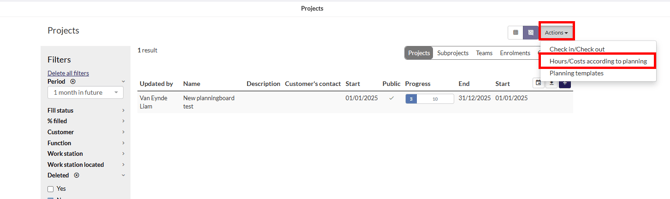
- Planning: Go to the planning
- All projects: Select "Actions" then "Hours/Costs according to planning."
- Specific project: Select the desired project, then "Actions" and "Hours/Costs according to planning."
By default we will see the “To report now” hours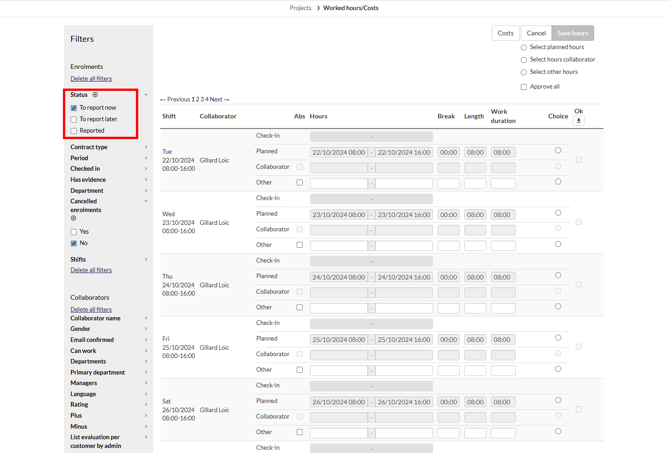 To approve hours:
- Select the desired dates and times.
- Choose between "Planned hours," "Collaborator reported hours," or "Other."
- Click the "Ok" check box (If you want to approve them, leave empty if you want to save your selected choice and approve on a later time.)
- At the top of the page, select "Save hours."
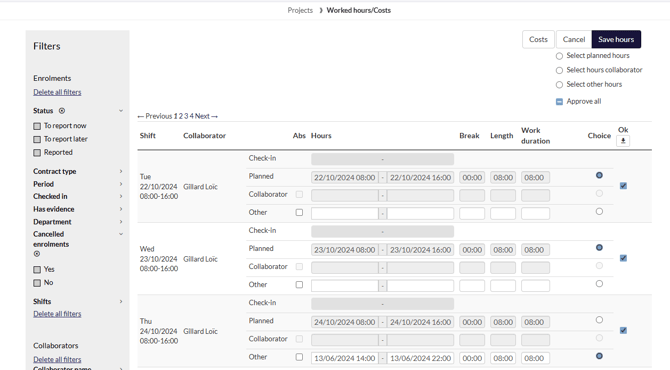
We have now approved worked hours.
To view these, filter on the left on “Reported”
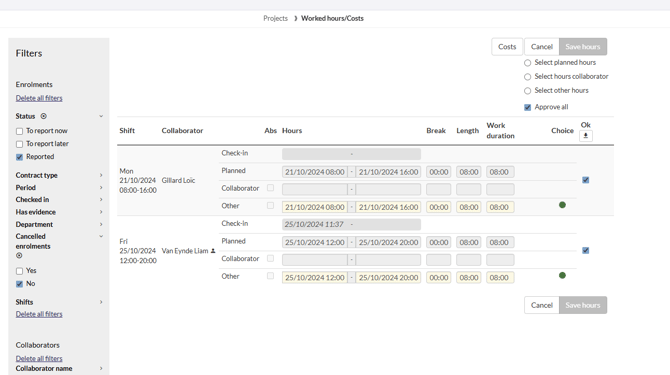
In this list we can see all reported + approved worked hours.
To create an export from this data, select the arrow icon that is facing down, your relevant template, and then click “Add export”.
Costs
When the “Registration of costs” module is active, team members can submit costs in euros or as a percentage, based on hourly, daily, per kilometer, or per piece rates. These costs can be either predefined allowed expenses for their team or additional costs incurred during a project.
Similar to tracking worked hours, you can require collaborators to upload supporting documentation for their cost submissions. All registered costs from collaborators will always need administrator approval.
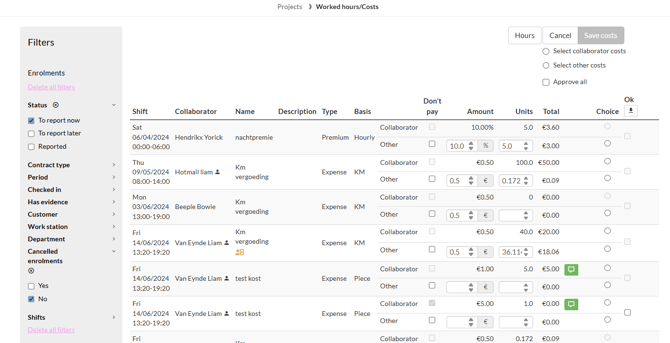
For the reported costs, all of the above info is applicable. To get to this page, just click at the top on “Costs”.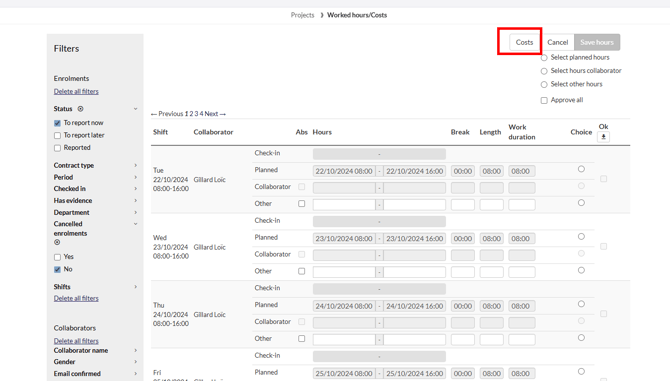
We receive a similar overview to worked hours, with identical options for selecting and approving these costs.