.png?width=200&height=82&name=Beeple_Logo_Blue%20(1).png)
We can import a required profile when importing a planning from Excel.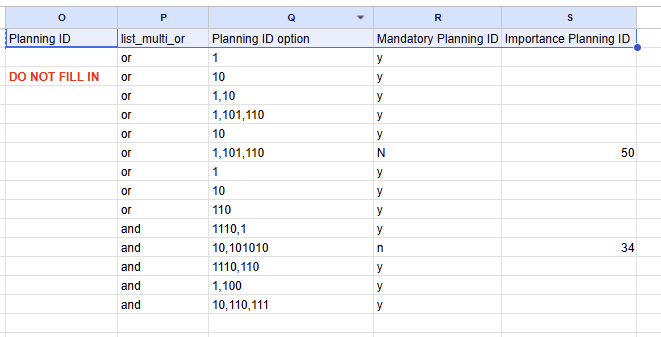
We can see at the end these 5 fields:
|
Planning ID |
list_multi_or |
Planning ID option |
Mandatory Planning ID |
Importance Planning ID |
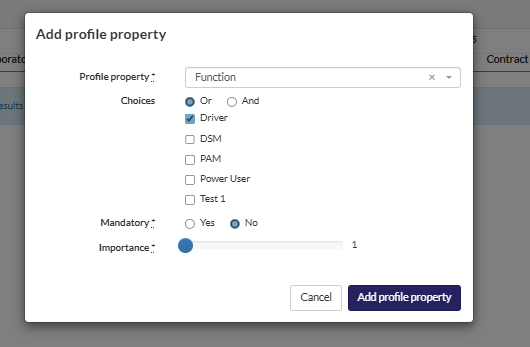
When configuring a required profile at the team level, the following fields correspond:
- Planning ID: This field should be left blank.
- Choices: Select either "List multi" or "or / and."
- Planning ID option: This field should reflect the chosen option (e.g., "Driver").
- Mandatory: Choose "y" for yes or "n" for no.
- If "Mandatory" is set to "n," the Importance field must be completed to indicate the significance of the required profile.