.png?width=200&height=82&name=Beeple_Logo_Blue%20(1).png)
1. Go to the gear icon and select settings.
2. Now under Modules, select “Register Collaborators” and make sure the module is active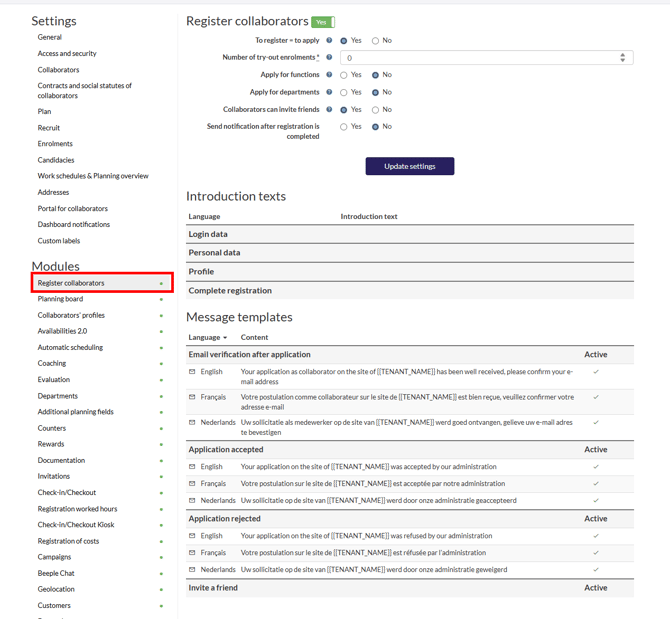
At the top we start with settings:
Registration & Onboarding Settings
- Registration = Acceptance: Determine if a new collaborator's registration automatically signifies acceptance, eliminating the need for administrative approval before they can apply for shifts.
- Number of try out enrolments: Specify the number of trial shifts a worker must complete (e.g., 5) before their application is fully accepted.
- Function Preferences: Allow workers to select their preferred functions during registration, if applicable.
- Department Preferences: Allow workers to select their preferred departments during registration, if applicable.
- Collaborator Invitations: Enable collaborators to send invitations to friends, providing them with a direct registration link to your environment (refer to "Worker Invites" for more details).
Registration Completion Notification:
Choose whether to send a notification once a collaborator's registration is successfully completed.
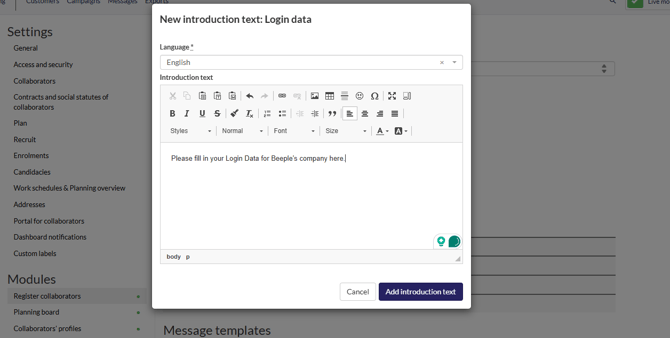
Introduction texts:
These can be created and saved here like the following example: