.png?width=200&height=82&name=Beeple_Logo_Blue%20(1).png)
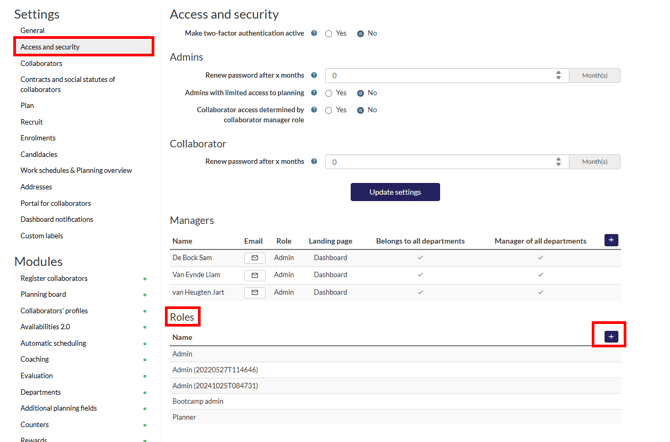
- Click the gear icon, then select 'Settings'.
- In the left sidebar, choose 'Access and security'.
- Scroll down to “Roles”
- Now click the “+” icon
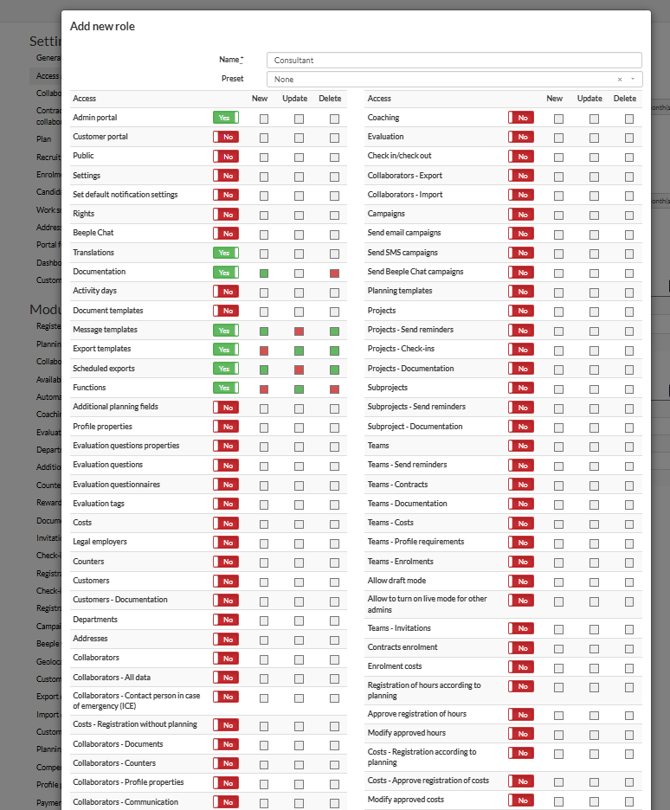
This section details all assignable access rights.
Legend:
- Yes/No: Indicates whether access is granted.
- Green square: Allowed
- Red square: Not allowed
For example, under "Message templates," a consultant can view, add, and delete templates, but they cannot edit them due to the red square. To adjust these settings, simply click on the square to toggle it between green (allowed) and red (not allowed).