.png?width=200&height=82&name=Beeple_Logo_Blue%20(1).png)
Displaying Other Team Collaborators
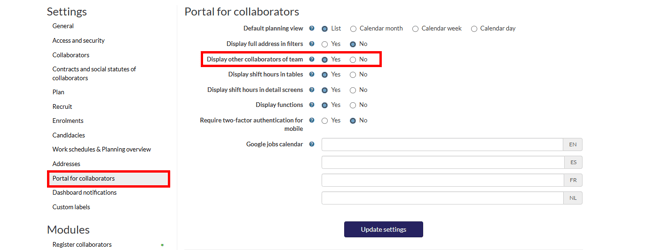
- Go to 'Settings'.
- In the left sidebar, click 'Portal for collaborators'.
- Next to 'Display other collaborators of team', select 'Yes'.
- Click 'Update settings' to save your changes.
Configuring Work Schedule Overview
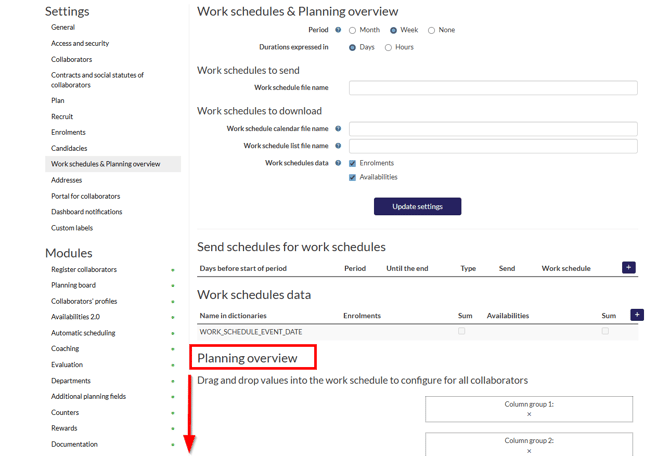
- Go to 'Settings'.
- In the left sidebar, click 'Work schedules & Overview'.
- Next to 'Period', select 'Month' or 'Week'.
- Drag at least one field to the 'Data main 1' cell.
- Click 'Update settings' to save your changes.
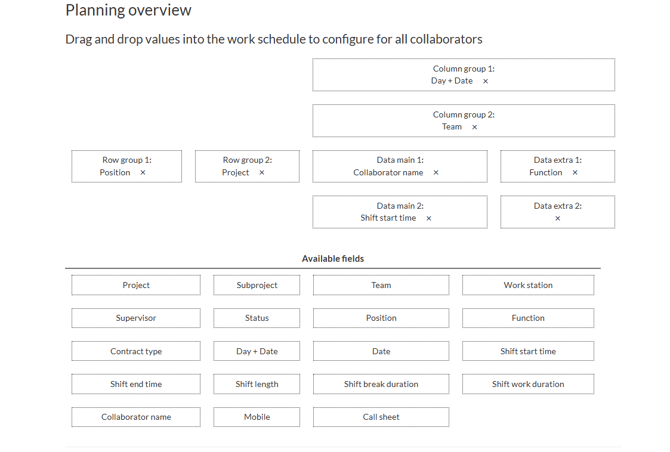
Important Note: Only one overview can be installed, meaning all collaborators will share the same view. Once installed, collaborators can access this overview under 'My work'.