.png?width=200&height=82&name=Beeple_Logo_Blue%20(1).png)
Fortunately, you can easily "hide" any filters you prefer not to use. Simply hover over the relevant filter to reveal an eye icon; clicking this icon will make the filter disappear from view.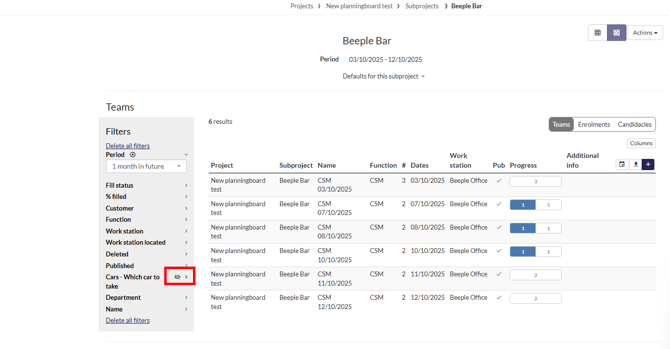
To view these hidden items, select the downward arrow icon under the "Hidden" section. This will unfold all hidden filters.
To make an item visible again, select the eye icon.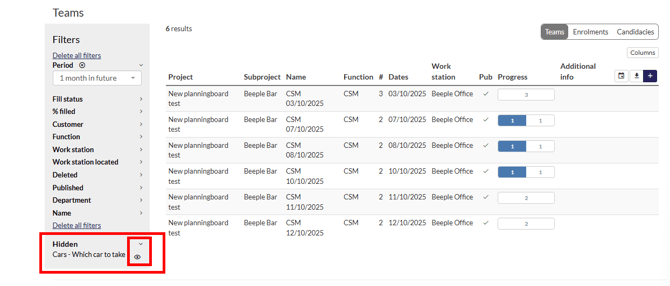
Note: An active filter may be hidden but still active. Before hiding a filter, ensure it is not in use.