.png?width=200&height=82&name=Beeple_Logo_Blue%20(1).png)
On most pages, like collaborators, worked hours, enrolments…
You will find the following icon: “downwards arrow”
When we select this we will receive following view and have to give the export a description + select the relevant template we want to use.
If you don’t have any template here, please consult your Beeple power user within your company.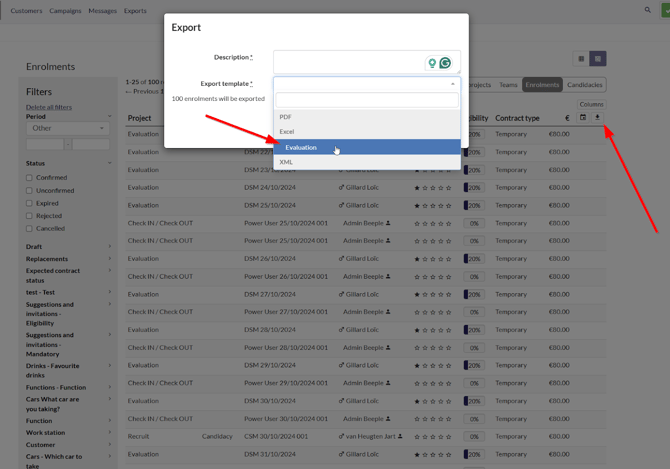
Where to find them?
Once created head from the main header menu to "Exports."
We now have an overview of the exports that can also be filtered: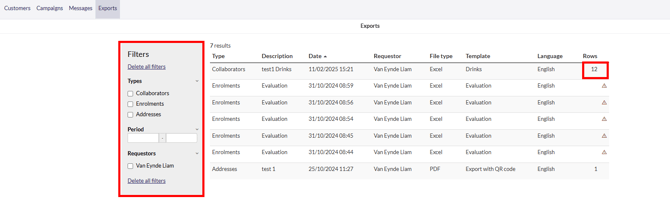
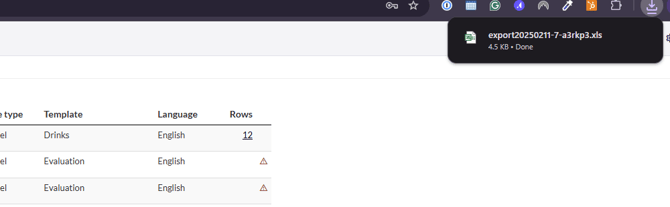
If we click on the right on the number of rows, the export will start downloading in your browser, and depending on the upload file that was selected you will receive an Excel, XML or PDF file.