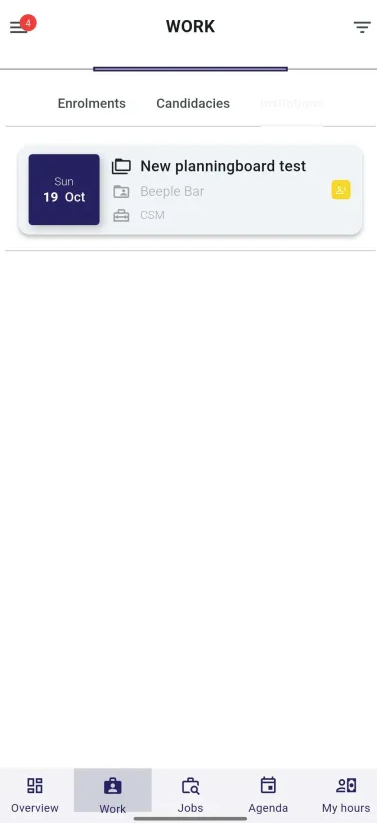
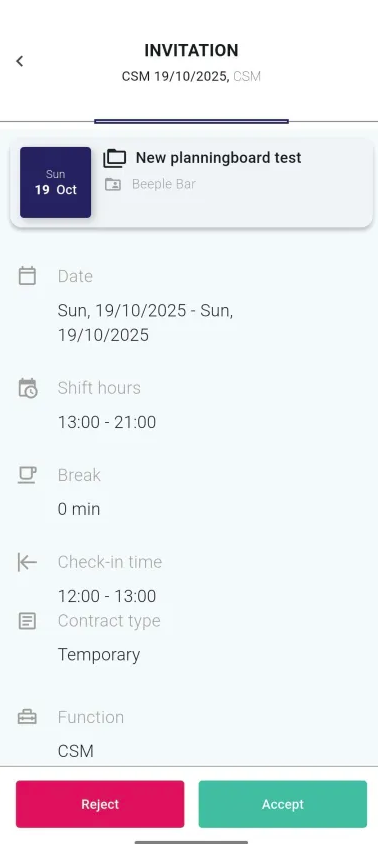
Accept/decline invitations Manage your invitations easily: accept to confirm your participation or decline to let the team know you’re unavailable Log in to the mobile app. Tap on "Work." Select the "Invitations" option (the third option from the top). Choose the invitation you wish to manage. To accept, tap the green button; to decline, tap the red button.
.png?width=200&height=82&name=Beeple_Logo_Blue%20(1).png)