.png?width=250&height=103&name=Beeple_Logo_Blue%20(1).png)
Activate the 'Collaborators' Profiles' module to access 'Profile Properties' under the gearwheel icon. This module allows you to request specific data from your collaborators, such as clothing sizes, previous work experience, or CVs.
The questions collaborators need to answer are fully customizable. You can choose from 10 types of mandatory or optional custom profile data fields. These profile properties can be used as filters to find specific collaborators in your database or to identify suitable profiles for job opportunities.
Important: Once created, a profile property group cannot be deleted. A profile property can only be archived.
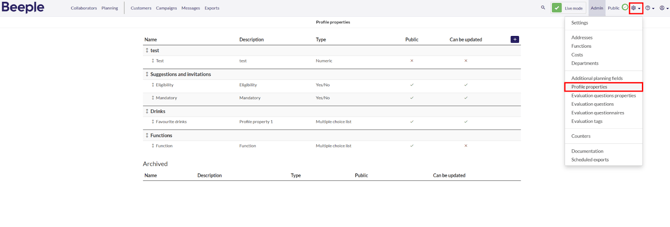
1. Locating profile properties- Click on the gearwheel in the menu bar at the top.
- Select 'Profile properties'.
- You see an overview of all profile properties added in the tool.
2. How to add a new Profile property within a group
To add a profile property:
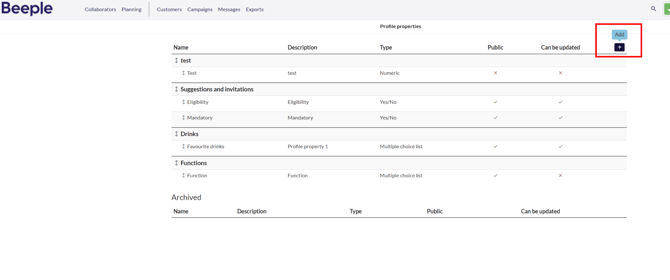
- Click on the ‘+’ symbol
- Fill in all required fields:
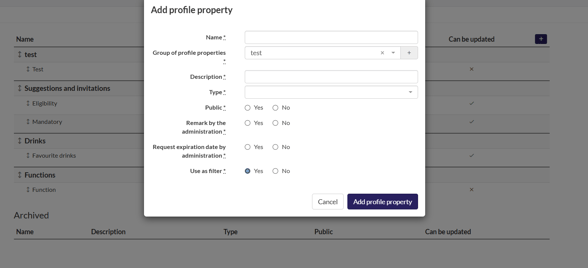
- Click “Add profile property”
To change the order of profile properties within a single group, simply hover over the double arrow next to the desired property. A mouse hand icon will appear, allowing you to drag and drop the tag to its new location within the group.
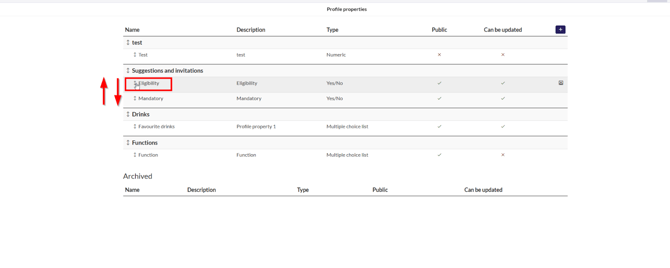
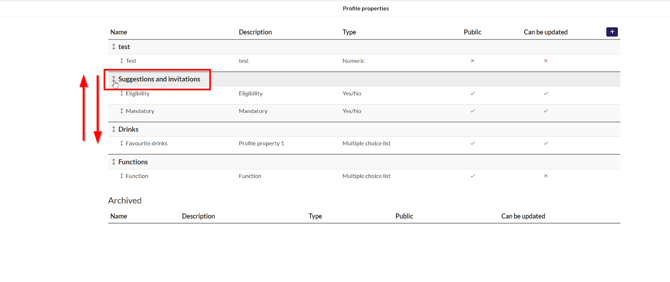
4. How to reorder Profile Property Groups
Similar to the method described above, use the arrows to move them up or down the list.
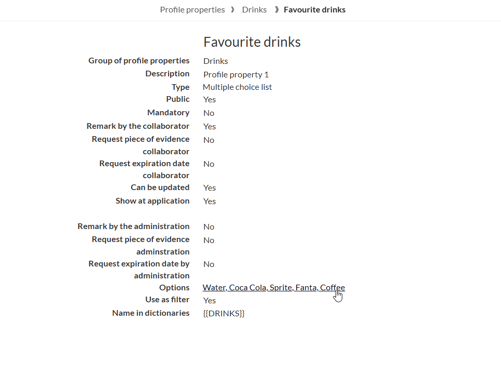
- Open the relevant profile property
- Click on the options as shown below:
- Now drag and drop the fields as you’d like to reorder them:
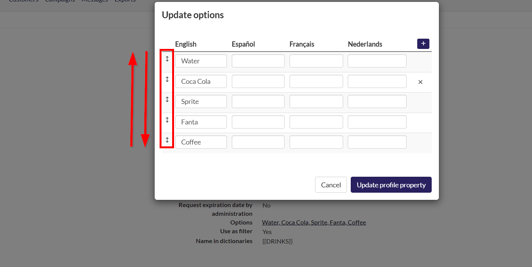
- To add a new option, click the ‘+’ on the top right.
- We can also see if we hover above an option that we get an “ X “ at the right to delete that option.
5. How to archive a profile property
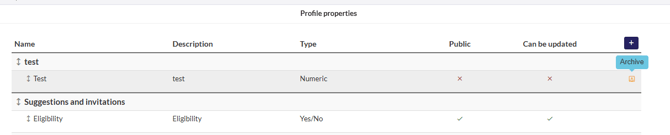
Hover over the profile property and find the archive button on the right.