.png?width=200&height=82&name=Beeple_Logo_Blue%20(1).png)
To activate it:
Go to the gearwheel icon.
- Select "Settings."
- Under "Modules," locate "Planning rules"
- Ensure "Planning rules" is active.
*You can leave the setting about definition of day empty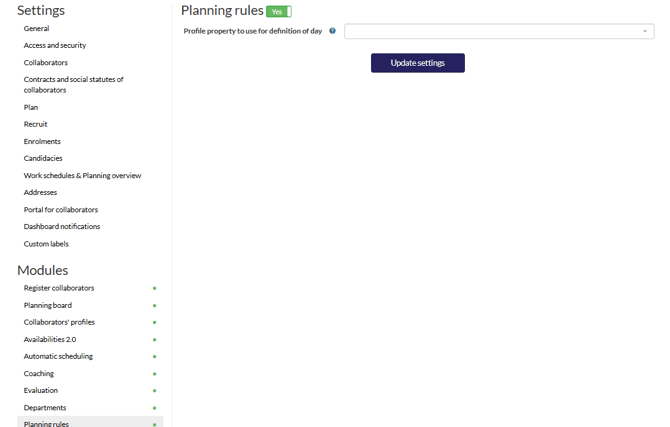
To add planning rules, click the "+" icon under "Planning rules," which can be found by selecting the gearwheel icon.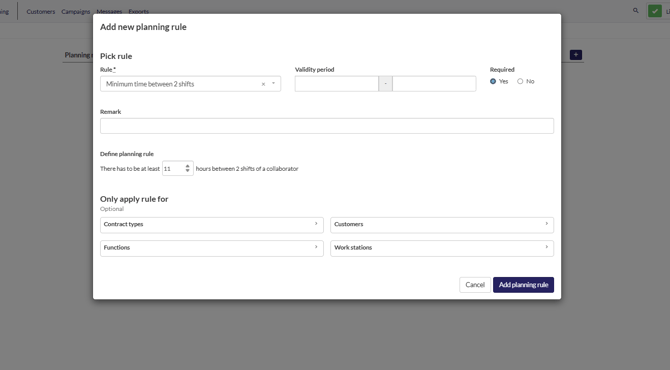
For more information contact your CSM