.png?width=200&height=82&name=Beeple_Logo_Blue%20(1).png)
Invitations can be sent via email, SMS, or Beeple chat. You can customize the invitation messages in the settings.
- Go to the gearwheel icon.
- Select "Settings."
- Under "Modules," locate "Invitations"
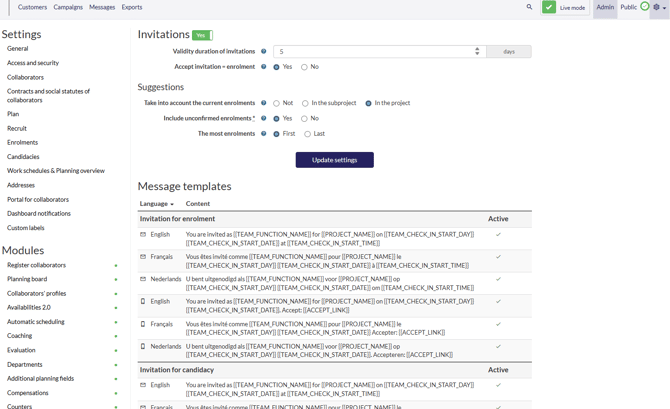
- Ensure "Invitations" is active.
You can configure several settings here:
- Validity duration of invitations: Determine how long invitations remain valid.
- Accept invitation = enrolment: Choose "Yes" if accepting an invitation leads to immediate enrolment, or "No" if it results in a candidacy.
- Suggestions settings: Customize these settings to align with your specific workflow.
- Templates can be adjusted below