.png?width=200&height=82&name=Beeple_Logo_Blue%20(1).png)
- Make sure the new Admin/planner/consultant has already a regular account on the environment. (More info here: How to create a collaborator LINK)
- Click the gear icon, then select 'Settings'.
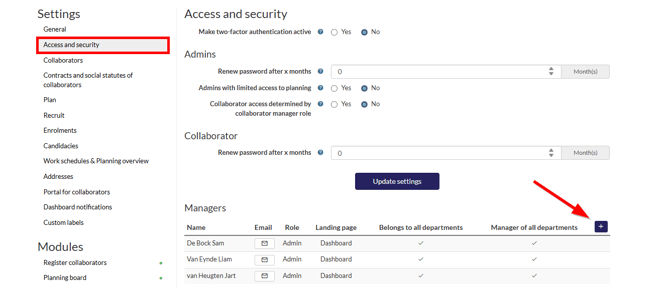
- In the left sidebar, choose 'Access and security'.
- Select the “+” icon
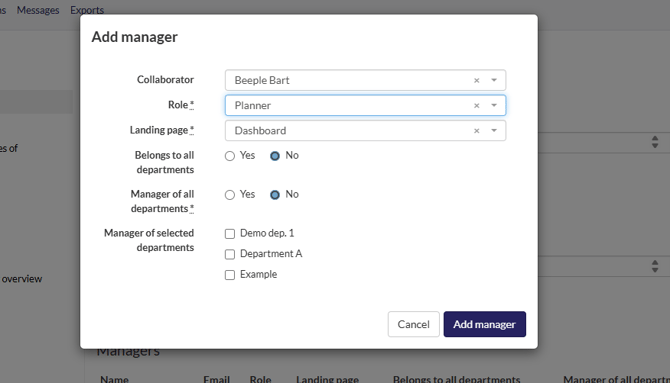
5. Fill in the required details and select “Add manager”
To customize your own role, please review following manual:
LINK TO How to create manager roles in settings