.png?width=200&height=82&name=Beeple_Logo_Blue%20(1).png)
Examples of such evaluation questions include:
- Did you like this shift?
- Was your colleague friendly to customers?
Additionally, it is possible to answer evaluation questions per enrolment. In this scenario, the answers are recorded after the collaborator has completed their shift.
Important: Evaluation questions and evaluation question groups cannot be deleted once created.
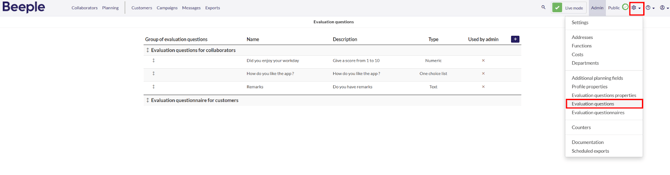
To access the Evaluation Questions, navigate to the menu bar at the top of the screen and click on the gearwheel icon. From the dropdown menu, select "Evaluation questions" This will display an overview of all evaluation questions and groups currently configured in the tool.
 2. How to Reorder Evaluation Questions within a group
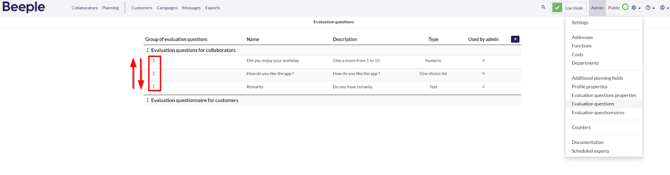
To change the order of evaluation questions within a single group, simply hover over the double arrow next to the desired question. A mouse hand icon will appear, allowing you to drag and drop the question to its new location within the group.
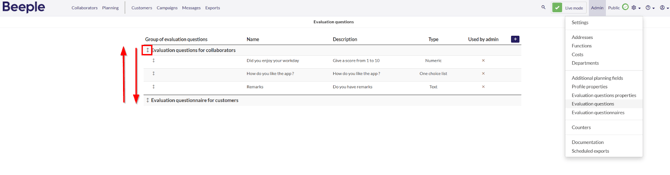
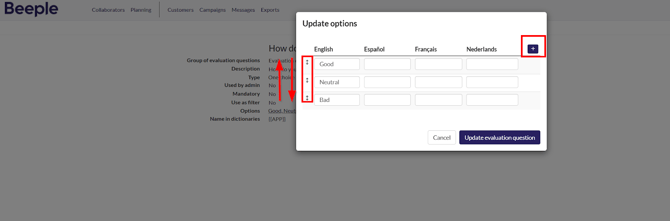
Similar to the method described above, use the arrows to move them up or down the list.
4. How to reorder the order of the options of an evaluation question?
To manage options:
Left-click on the options already existing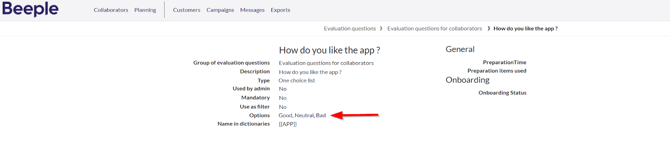
You can then add new options or reorder existing ones.
5. How to delete an evaluation question in the evaluation question properties?
Hover your mouse over the relevant question you want to delete and select the delete option.
