.png?width=200&height=82&name=Beeple_Logo_Blue%20(1).png)
Your employer may ask you to input your availability into the Beeple system. Here's how:
- Log in to your account.
- Navigate to "Agenda" at the bottom of the screen.
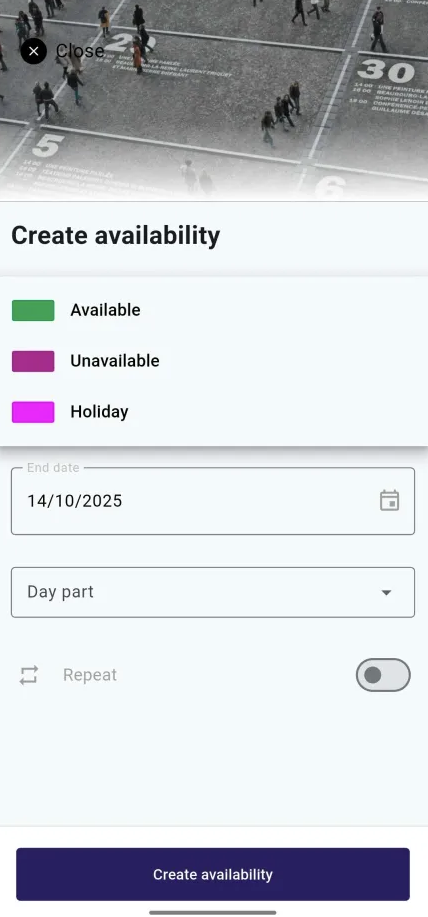
- Select "Create availability."
- Choose the type of availability you want to enter (available or unavailable).
- Specify the start and end dates.
- If needed, select a specific part of the day or use the slider for recurring availabilities.
- Click "Create availability" to finalise the entry.
Please note that your employer may still need to approve your entered (un)availability. If you have any questions, please contact your employer directly.