.png?width=250&height=103&name=Beeple_Logo_Blue%20(1).png)
When the 'Compensations' module is active, basic compensations for collaborators can be calculated automatically. These compensations are categorized as hourly, daily, or team-based. It's important to note that each contract type has restrictions on the types of compensations it can be linked to; for instance, a volunteer cannot receive an hourly compensation. In addition to basic compensations, 'special compensations' can also be allocated to collaborators.
To activate Compensations:
- Click the gearwheel icon.
- Select "Settings."
- In the "Modules" section, locate "Compensations."
- Ensure that "Compensations" is active.
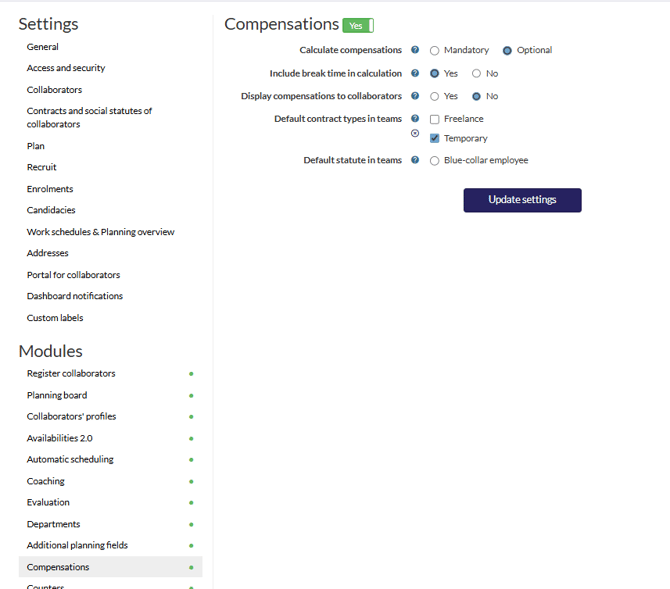
- Select if andatory calculations are required
- Specify whether breaktime should be included
- Should the collaborator be able to view it.
- Select a default contract type for teams.
- Select a default social status for teams.
Return to the gear icon and select "Compensations." Click the "+" icon to establish a new compensation.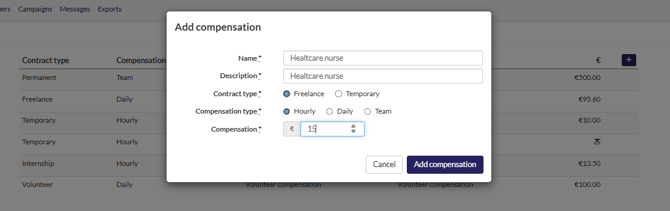
- Once created, this can be applied to a team.
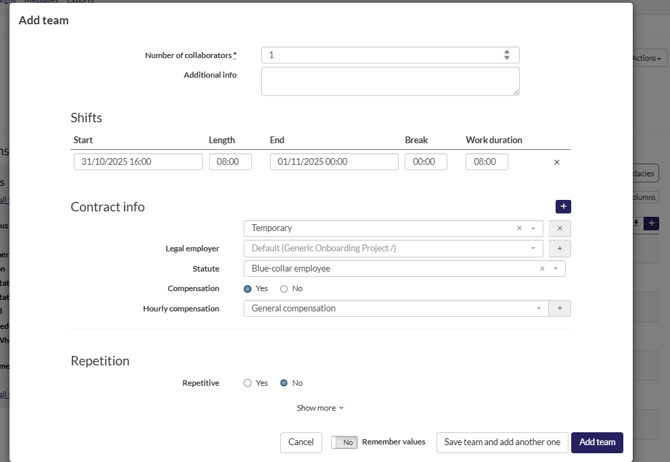
- Navigate to planning, select a project, then a sub-project, and create a new team.
- You will now see the contract information available for selection.
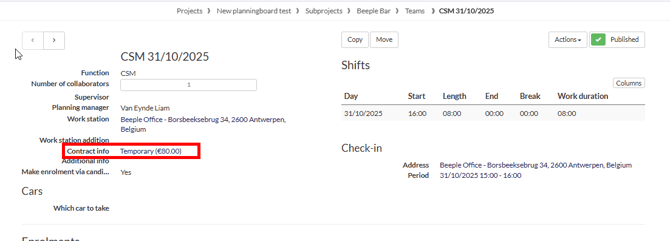
Once created, the compensation calculation for this team is visible. You can adjust the contract information or add a new contract type by clicking on "contract info."