.png?width=250&height=103&name=Beeple_Logo_Blue%20(1).png)
- Log in to the collaborators app.
- From the main menu, click “Work”, at the top select “Enrolments”.
- Select the enrolment you wish to cancel.
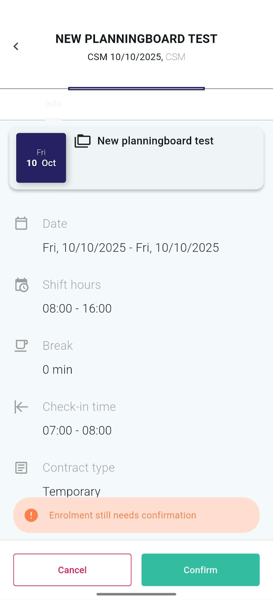
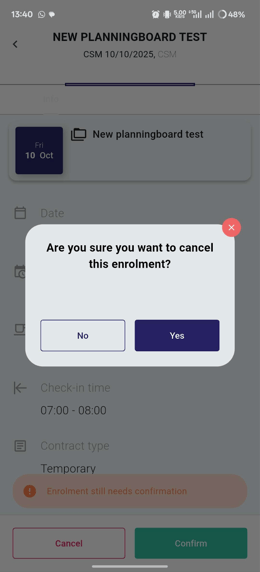
5. A confirmation of the enrolment cancellation will now be displayed.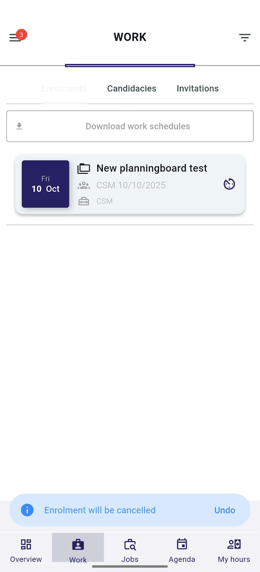
Please note: This action can only be performed if the admin has activated a specific setting. If you are unable to cancel it yourself, please contact your employer.