.png?width=250&height=103&name=Beeple_Logo_Blue%20(1).png)
This module enables two-way chat conversations within Beeple when 'Beeple Chat' is activated. It allows an admin to communicate with an individual or a group of collaborators. Additionally, the chat functionality integrates as a primary communication channel for all messages within Beeple.
To set up Beeple Chat, navigate to the gearwheel icon and select settings. On the left-hand side, under "Modules," ensure "Beeple chat" is activated. This page also allows you to customize the templates used for messages sent via Beeple Chat, such as confirmation of enrollment.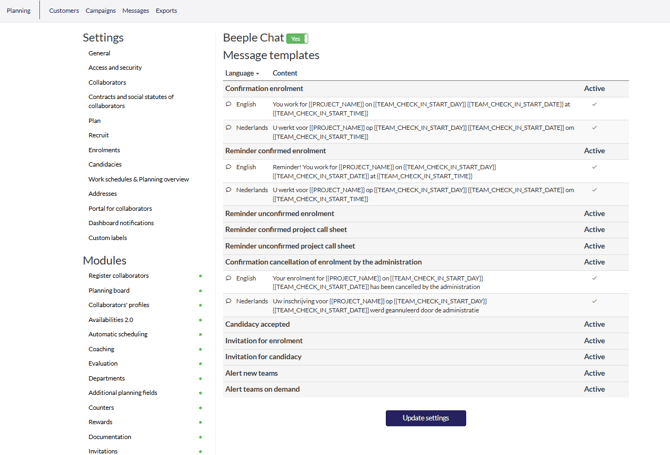
The "Messages" option in the header menu leads to the Beeple chat page. Here, users can access existing chats or initiate new ones using the "+" icon. It's also possible to add new members to ongoing conversations.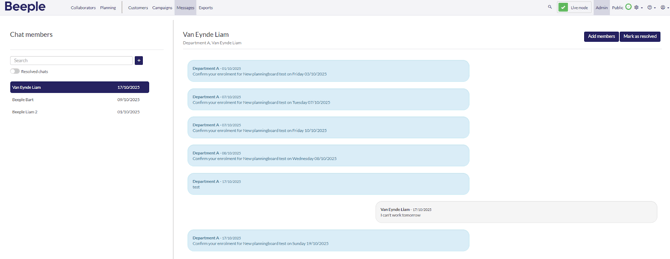
Note: When departments are utilized, collaborators are restricted to replying only to their primary department. The only exceptions are when an admin from a different department initiates a direct chat. Collaborators are unable to respond to automated notifications sent via Beeple chat.