.png?width=250&height=103&name=Beeple_Logo_Blue%20(1).png)
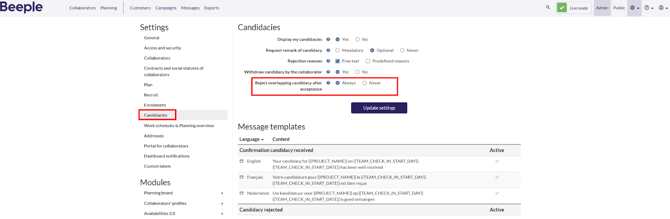
To set up automatic rejection of overlapping candidacies after one has been accepted, follow these steps:
- Navigate to 'Candidacies' in the left sidebar.
- Locate the 'Reject overlapping candidacy after acceptance' setting and select 'Always'.
Click 'Update settings' to save your changes.